Mastering Digital Declutter: A Comprehensive Guide to Digital Minimalism

In an age where our lives are increasingly intertwined with technology, the concept of a digital declutter guide has become not just a trend, but a necessity. We are constantly bombarded with notifications, endless feeds, and an ever-growing pile of digital assets. This digital overload can lead to increased stress, decreased productivity, and a pervasive feeling of being overwhelmed. But what if there was a way to reclaim your digital space, much like you would declutter a physical room? What if you could cultivate a more intentional and mindful relationship with your technology? This comprehensive guide will walk you through the essential steps to achieving digital minimalism, helping you to create a more focused, peaceful, and productive digital life.
The journey to digital decluttering is not about abandoning technology entirely. Instead, it’s about being deliberate and conscious about how and why you use your digital tools. It’s about recognizing the value of your attention and time, and strategically removing anything that detracts from those precious resources. By embracing the principles of digital minimalism, you can reduce digital distractions, enhance your well-being, and ultimately, live a more fulfilling life. This guide is your roadmap to navigating the digital landscape with purpose and clarity.
The Silent Epidemic of Digital Clutter
Before diving into the ‘how-to,’ it’s crucial to understand the ‘why.’ Why is a digital declutter guide so important right now? Consider the sheer volume of digital information we consume and create daily. Emails pile up in our inboxes, photos clutter our cloud storage, apps demand our attention, and social media feeds endlessly scroll. This constant influx and accumulation of digital ‘stuff’ can have profound effects on our mental health, productivity, and personal relationships.
Psychologically, digital clutter contributes to decision fatigue. Every notification, every unread email, every disorganized file represents a small, unresolved task that drains your mental energy. The fear of missing out (FOMO) keeps us tethered to our devices, while the constant comparison on social media can erode self-esteem. Physically, excessive screen time can lead to eye strain, poor posture, and disrupted sleep patterns. Socially, the allure of the digital world can pull us away from real-world interactions, impacting the depth and quality of our relationships.
Furthermore, the perceived convenience of digital tools often masks their true cost in terms of our time and attention. We save documents ‘just in case,’ subscribe to newsletters we never read, and download apps we use once. This digital hoarding mentality, much like physical hoarding, creates a chaotic environment that hinders our ability to focus, think clearly, and engage deeply with tasks that truly matter. Recognizing these challenges is the first step towards seeking a solution, and that solution lies in a systematic approach to digital decluttering.
Step 1: The Digital Audit – Understanding Your Digital Footprint
The initial phase of any effective digital declutter guide is a thorough audit of your current digital landscape. You can’t effectively declutter what you don’t understand. This step involves taking a honest look at your digital habits, identifying where your time and attention are truly going, and pinpointing areas of excessive digital clutter. Think of it as mapping out your digital territory before you start clearing the brush.
Assess Your Screen Time
Most smartphones and operating systems now offer built-in tools to track screen time. Utilize these features to get an accurate picture of how much time you spend on your devices and, more importantly, which apps and websites consume the most of your attention. Be prepared for some surprising revelations. Many of us underestimate our screen time significantly. This data is invaluable because it highlights the biggest drains on your digital energy.
Inventory Your Devices and Accounts
Make a list of all your digital devices: smartphones, tablets, laptops, smartwatches, e-readers, and any other internet-connected gadgets. For each device, consider its purpose and whether it truly serves you. Next, list all your digital accounts: email addresses, social media profiles, streaming services, online shopping accounts, cloud storage, and any other online presence you maintain. This comprehensive inventory will help you identify dormant accounts, redundant services, and areas ripe for consolidation or elimination.
Examine Your Digital Storage
Open up your computer’s desktop, your downloads folder, your cloud storage drives (Google Drive, Dropbox, OneDrive, etc.), and your photo galleries. What do you see? Is it a chaotic mess of unnamed files, duplicate images, and forgotten documents? This visual representation of your digital clutter can be a powerful motivator for change. Pay attention to the files you haven’t touched in months or even years. These are prime candidates for deletion or archiving.
Analyze Your Notifications
Notifications are arguably one of the biggest culprits of digital distraction. Go through your smartphone and computer settings and review every single app’s notification preferences. Ask yourself: Is this notification essential? Does it provide immediate value? Or is it simply a bid for my attention? The goal here is to drastically reduce unnecessary alerts, allowing you to control when and how you engage with your devices, rather than being constantly pulled in by them.
By diligently completing this digital audit, you’ll gain a clear understanding of the scope of your digital clutter and the specific areas that require your immediate attention. This knowledge forms the foundation for the subsequent steps in your digital decluttering journey, empowering you to make informed decisions about your digital future.
Step 2: Decluttering Your Digital Spaces – A Systematic Approach
Once you have a clear understanding of your digital footprint, it’s time to roll up your sleeves and start decluttering. This step, central to any effective digital declutter guide, involves systematically tackling different areas of your digital life. Remember, the goal is not just to delete, but to organize and optimize for future efficiency and peace of mind.
Email Inbox Zero
Your email inbox is often the most overwhelming digital space. Aim for ‘Inbox Zero’ – not necessarily having zero emails, but having zero unprocessed emails. Start by unsubscribing from newsletters and marketing emails you no longer read. Use tools like Unroll.me or simply manually unsubscribe. Then, create a system for managing incoming emails: delete what’s irrelevant, archive what you need for reference, and act on what requires a response. Implement a ‘two-minute rule’: if it takes less than two minutes to deal with, do it immediately. Create folders for important categories (e.g., ‘Work Projects,’ ‘Personal Finances,’ ‘Travel Plans’) to keep your archived emails organized and easily searchable.
Organizing Your Files and Folders
Your computer’s desktop, downloads folder, and cloud storage can quickly become digital dumping grounds. Dedicate time to going through these areas. Create a logical folder structure that makes sense to you. For instance, categorize by year, project, or type of file. Delete duplicate files, old drafts, and anything you haven’t accessed in over a year. Consider archiving older, less frequently accessed files to an external hard drive or a dedicated archive folder in your cloud storage to keep your primary working space lean and efficient. A clean file system reduces stress and saves valuable time when searching for documents.
Taming Your Photos and Videos
Our phones and cameras are constantly capturing moments, leading to massive photo libraries. This is an area where a digital declutter guide can make a huge difference. Go through your photos and delete blurry shots, duplicates, and anything that doesn’t evoke a positive memory or serve a specific purpose. Consider using cloud services like Google Photos or Apple Photos to automatically back up and organize your images, often with AI-powered search capabilities. Create albums for significant events or themes. The goal is to have a curated collection that brings joy, not overwhelming storage alerts.
App and Software Review
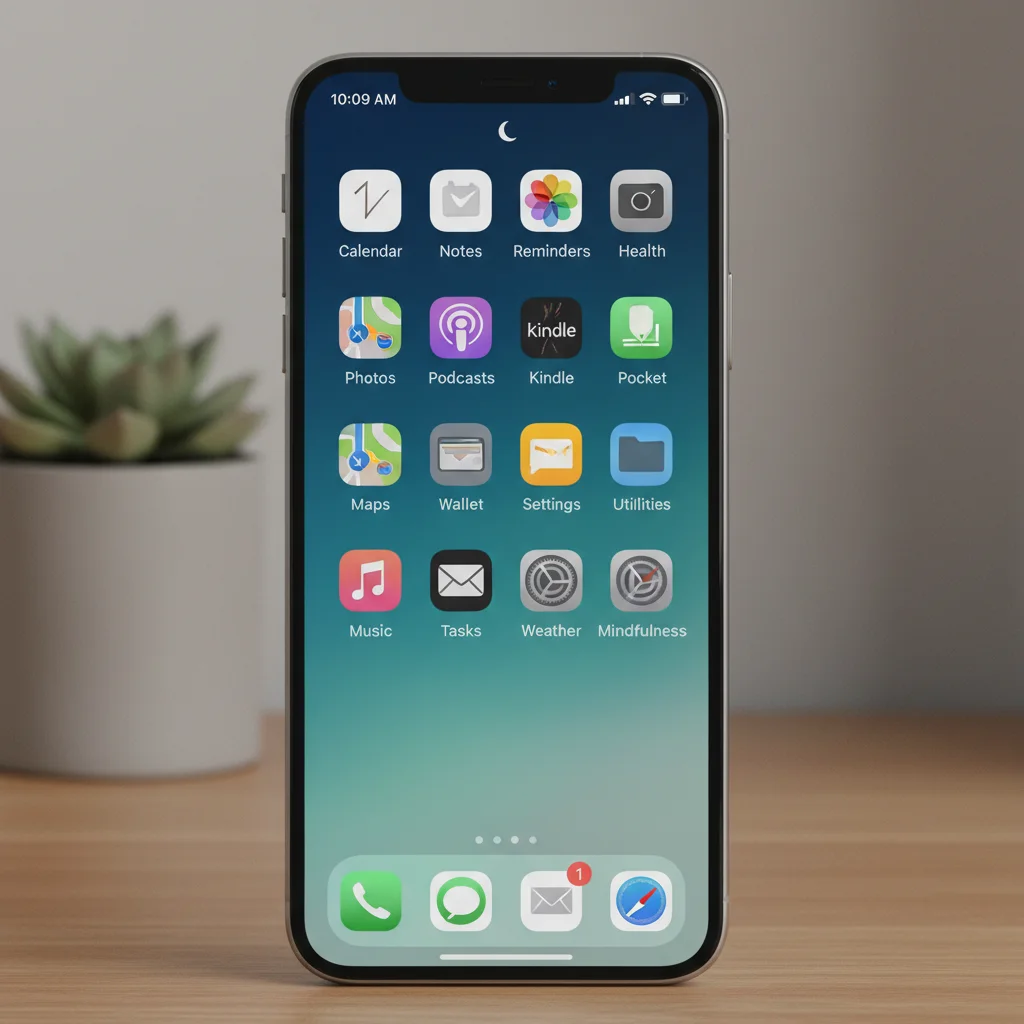
Just like physical possessions, apps can accumulate. Go through your smartphone, tablet, and computer and delete any apps you haven’t used in the last month or two. Be ruthless. If you’re unsure, move it to a ‘maybe’ folder for a week or two, and if you don’t miss it, delete it. For apps you keep, organize them into logical folders on your device. For instance, ‘Productivity,’ ‘Social,’ ‘Entertainment,’ ‘Utilities.’ Limit the number of apps on your home screen to only the most essential ones. This reduces visual clutter and makes your device more efficient.
Social Media Pruning
Social media can be a significant source of digital clutter and distraction. Unfollow accounts that no longer inspire you, provide value, or contribute positively to your well-being. Mute groups or individuals if you don’t want to unfollow but need a break from their content. Review your privacy settings to ensure you’re only sharing what you intend to. Consider dedicating specific time slots for social media instead of aimless scrolling throughout the day. Some people even consider ‘digital sabbaths’ where they completely disconnect from social media for a day or a weekend.
By systematically addressing these areas, you will not only reduce the sheer volume of your digital possessions but also create a more organized and functional digital environment. This systematic approach is key to maintaining a decluttered digital life in the long run.
Step 3: Cultivating Digital Habits – Building a Mindful Relationship with Technology
Decluttering is only half the battle; the other half, and perhaps the more crucial part, involves establishing sustainable digital habits. This section of our digital declutter guide focuses on creating a mindful and intentional relationship with technology, preventing future clutter and fostering a healthier digital lifestyle.
Set Clear Boundaries for Screen Time
Knowledge is power, and your screen time audit from Step 1 provides that knowledge. Now, use it to set realistic boundaries. Decide which apps or websites you want to limit and use your device’s built-in screen time controls (e.g., Apple’s Screen Time, Android’s Digital Wellbeing) to enforce these limits. Consider ‘no-phone zones’ in your home, such as the dinner table or bedroom. Establish ‘digital sunset’ and ‘digital sunrise’ times, meaning no screens an hour before bed and not immediately upon waking. This creates space for other activities and improves sleep quality.
Mastering Notifications
Revisit your notification settings. For most apps, ask yourself: ‘Does this notification require my immediate attention, or can it wait?’ If the answer is no, turn it off. Prioritize only essential notifications (e.g., calls from important contacts, critical work alerts). Consider turning off all non-essential notifications for a trial period to experience the peace and focus it brings. Batching notifications, where you check them at specific times of the day, can also be highly effective in reducing constant interruptions.
Embrace Single-Tasking
Our digital devices are designed for multitasking, but our brains are not. When working on your computer, close unnecessary tabs and applications. When using your phone, focus on one app at a time. This practice, often overlooked in a standard digital declutter guide, significantly improves focus and efficiency. Before opening an app or website, pause and ask yourself: ‘What is my intention for using this right now?’ This simple question helps you become more intentional about your digital interactions.
Regular Digital Maintenance
Just like your physical home, your digital spaces require regular maintenance. Schedule a weekly or monthly ‘digital clean-up’ session. This could involve clearing your downloads folder, unsubscribing from new spam emails, organizing new photos, or reviewing app usage. Consistency is key to preventing digital clutter from accumulating again. Make it a routine, not a one-off event.
Curate Your Digital Consumption
Be intentional about the content you consume. Follow accounts that educate, inspire, or entertain you in a positive way. Seek out high-quality information sources rather than getting lost in endless shallow content. Consider subscribing to fewer, higher-quality newsletters or podcasts. The goal is to make your digital consumption a source of enrichment, not depletion.
By integrating these habits into your daily routine, you’ll shift from a reactive to a proactive approach to technology. You’ll gain control over your digital life, allowing technology to serve you, rather than the other way around. This mindful engagement is the cornerstone of sustainable digital minimalism.
Step 4: Leveraging Tools and Strategies for Ongoing Digital Minimalism
While establishing good habits is paramount, certain tools and strategies can significantly aid your journey toward ongoing digital minimalism. This part of our digital declutter guide explores practical resources and techniques to maintain your decluttered digital state.
Utilize Digital Wellbeing Features
As mentioned, most modern operating systems offer built-in digital wellbeing tools. These go beyond just screen time tracking. They often include features like ‘Focus Mode’ or ‘Do Not Disturb’ to silence notifications during specific periods, ‘Grayscale Mode’ to make your screen less appealing, and app timers to limit usage. Explore and customize these features to support your specific goals for reducing digital distractions.
Password Managers for Security and Simplicity
A cluttered digital life often includes a myriad of forgotten passwords and insecure practices. A password manager (e.g., LastPass, 1Password, Bitwarden) is an indispensable tool. It securely stores all your complex passwords, generates new strong ones, and allows you to access your accounts with a single master password. This not only enhances your online security but also reduces mental clutter associated with remembering countless logins.
Cloud Storage Optimization
Cloud storage can be a blessing or a curse. To keep it organized, use consistent naming conventions for files and folders. Regularly review and delete unnecessary files. For large media files, consider using a dedicated photo and video cloud service (like Google Photos for personal use or specialized services for professional needs) rather than cluttering general cloud storage. Understand the difference between syncing and backing up to avoid unintended duplication.
Automation for Repetitive Tasks
Identify repetitive digital tasks that consume your time. Can they be automated? For example, email filters can automatically sort incoming messages into specific folders, saving you the manual effort. Tools like IFTTT (If This Then That) or Zapier can connect different apps and services to automate workflows, freeing up your mental bandwidth for more important tasks. This is a subtle but powerful aspect of a comprehensive digital declutter guide.
Digital Detoxes and Offline Experiences
Periodically, consider a complete digital detox. This could be a few hours, a day, or even a weekend where you intentionally disconnect from all devices. Use this time to engage in offline activities: read a physical book, spend time in nature, pursue a hobby, or connect deeply with loved ones. These detoxes serve as a powerful reset, reminding you of the richness of life beyond the screen and reinforcing your commitment to digital minimalism.

Physical Tools for Digital Control
Sometimes, the best digital decluttering tools aren’t digital at all. Consider using an alarm clock instead of your phone to wake up, preventing immediate morning screen time. Keep your phone in a different room while working or sleeping. Invest in a physical notebook for jotting down ideas instead of relying solely on digital notes. These small changes can create significant psychological distance from your devices.
By integrating these tools and strategies, you can build a robust system that supports your digital minimalist goals, ensuring that your digital life remains organized, efficient, and aligned with your values.
Step 5: The Long-Term Benefits and Maintenance of Digital Minimalism
The final, and perhaps most rewarding, aspect of following a digital declutter guide is experiencing the profound long-term benefits and understanding how to maintain this newfound digital freedom. Digital minimalism is not a one-time event; it’s an ongoing practice that evolves with your needs and technology.
Reclaiming Your Attention and Focus
One of the most significant benefits of digital decluttering is the return of your attention span. By reducing distractions and intentional use of technology, you’ll find yourself better able to concentrate on tasks, engage in deep work, and truly absorb information. This enhanced focus translates directly into increased productivity and higher quality output in both your professional and personal life.
Improved Mental Well-being
A decluttered digital life often leads to a decluttered mind. Reduced notifications, less social media comparison, and a more organized digital environment contribute to lower stress levels, decreased anxiety, and a greater sense of calm. Many people report feeling less overwhelmed and more in control of their lives after embracing digital minimalism. This positive impact on mental health is a powerful motivator for sticking with the practice.
Enhanced Real-World Connections
When you’re not constantly glued to your phone, you become more present in your immediate environment. This allows for deeper, more meaningful interactions with family, friends, and colleagues. You’ll listen more attentively, engage more fully, and build stronger relationships, enriching your social life in ways that digital interactions often cannot. This shift from virtual to visceral connection is a cornerstone of a truly balanced life.
Increased Creativity and Problem-Solving
Quiet moments, free from digital input, are crucial for creativity and innovative thinking. When your mind isn’t constantly processing new information, it has the space to wander, connect disparate ideas, and engage in problem-solving. Digital minimalism provides the mental whitespace necessary for these cognitive processes to flourish, leading to new insights and imaginative solutions.
Maintaining Your Digital Minimalist Lifestyle
To ensure your digital decluttering efforts are sustainable, integrate regular check-ins into your routine. Perhaps a quarterly ‘digital spring cleaning’ where you re-evaluate your apps, subscriptions, and file organization. Stay vigilant about new digital habits that might creep in. Ask yourself: ‘Does this new app or service truly add value to my life, or is it just another distraction?’ Continuously refine your boundaries and adapt your strategies as technology evolves and your needs change.
Educate yourself on new digital tools and practices that align with minimalist principles. Share your journey with others, as accountability can be a powerful motivator. Remember that digital minimalism is a journey, not a destination. There will be times when digital clutter starts to creep back in, but with the habits and strategies outlined in this digital declutter guide, you will be well-equipped to address it and quickly return to a state of digital clarity and peace.
Conclusion: Embracing a More Intentional Digital Future
Embarking on a digital decluttering journey, guided by the principles of digital minimalism, is one of the most empowering decisions you can make in our hyper-connected world. It’s not about rejecting technology, but about embracing it with intention, purpose, and mindfulness. By systematically auditing your digital footprint, decluttering your various digital spaces, cultivating healthier habits, and leveraging smart tools, you are not just cleaning up your devices; you are reclaiming your time, your focus, and ultimately, your peace of mind.
The benefits extend far beyond a tidy inbox or an organized desktop. You will likely experience reduced stress, improved mental clarity, deeper real-world connections, and a renewed sense of control over your own attention. This digital declutter guide has provided you with a comprehensive framework to transform your relationship with technology from one of constant distraction to one of deliberate engagement.
Remember, digital minimalism is a continuous practice. The digital world is dynamic, and new challenges and opportunities will always arise. But with the strategies and mindset you’ve developed through this guide, you are now equipped to navigate this landscape with confidence and intentionality. Take these steps, be patient with yourself, and enjoy the profound freedom and focus that a decluttered digital life brings. Your more mindful, productive, and peaceful self awaits.