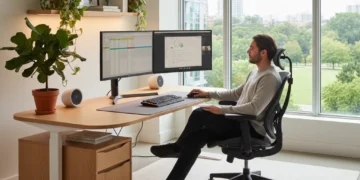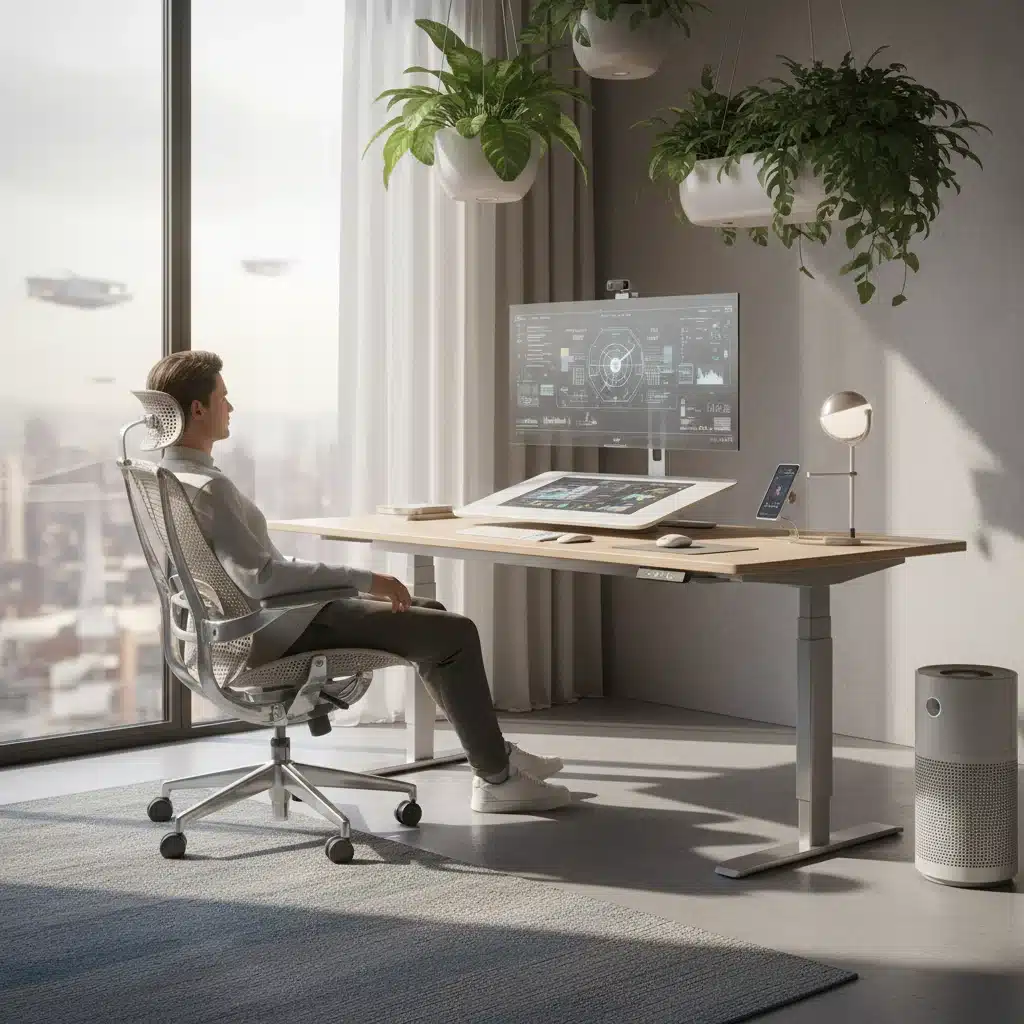
The dawn of 2026 ushers in a new era for remote work in the United States. What was once a temporary solution has solidified into a permanent fixture for millions, fundamentally reshaping our professional lives and, crucially, our home environments. As companies continue to embrace hybrid and fully remote models, the emphasis on creating a sustainable, healthy, and highly productive home office has never been greater. It’s no longer just about having a desk and a computer; it’s about optimizing your workspace for long-term well-being and peak performance. This evolution demands a re-evaluation of what constitutes an essential home office setup, moving beyond basic functionality to embrace advanced ergonomics. The goal is to mitigate the physical tolls of prolonged sitting and repetitive tasks, ensuring that remote work remains a boon, not a burden, on our health.
The shift towards remote work has brought with it a host of challenges, from blurred work-life boundaries to increased sedentary behavior. However, it has also presented an unparalleled opportunity for individuals to design their ideal work environment. For too long, corporate offices dictated our physical setups, often with little regard for individual ergonomic needs. Now, with the power in our hands, investing in an ergonomic home office is not merely a luxury but a strategic imperative. By 2026, the understanding of how physical comfort directly impacts mental clarity, focus, and overall output has become mainstream. Therefore, equipping your home office with the right tools is paramount to thriving in this new professional landscape. This article will delve into the five indispensable ergonomic must-haves that every remote worker in the US should consider for their home office in 2026, ensuring both health and unparalleled productivity.
1. The Ergonomic Chair: Your Foundation for Health and Productivity
At the top of any list discussing an ergonomic home office, the chair reigns supreme. It is the single most critical piece of equipment for anyone spending hours at a desk. By 2026, the market for ergonomic chairs has matured significantly, offering a vast array of options designed to support the natural curvature of the spine, promote good posture, and reduce pressure points. A truly ergonomic chair goes far beyond a comfortable cushion; it’s a sophisticated piece of engineering designed to move with you and adapt to your body.
Key features to look for in 2026 include:
- Adjustable Lumbar Support: This is non-negotiable. The ability to customize the support for your lower back, both in height and depth, is crucial for maintaining the natural S-curve of your spine. Many modern chairs offer dynamic lumbar support that flexes and adapts as you shift.
- Synchronized Tilt Mechanism: This allows the seat and backrest to recline together at an optimal ratio, keeping your feet on the floor and your eyes on the screen while opening your hip angle.
- 4D Armrests: Armrests that can adjust in height, depth, width, and pivot inwards/outwards are essential for supporting your forearms and reducing strain on your shoulders and neck. They should allow your elbows to be at a 90-degree angle to your keyboard.
- Seat Depth Adjustment: This feature ensures that the chair can accommodate different leg lengths, allowing you to maintain proper circulation and support for your thighs without pressure behind your knees. You should be able to fit two to three fingers between the edge of the seat and the back of your knees.
- High-Quality Materials and Durability: An ergonomic chair is an investment. Look for breathable fabrics, durable frames, and high-density foam that will maintain its shape and support over years of use.
The long-term benefits of a high-quality ergonomic chair are profound. It can prevent chronic back pain, neck stiffness, and shoulder discomfort, conditions that significantly impact productivity and overall quality of life. Think of it as an investment in your physical health, which directly translates to mental clarity and sustained focus throughout your workday. Choosing the right chair requires research and, ideally, testing. Don’t shy away from visiting showrooms or taking advantage of trial periods offered by manufacturers. Your body will thank you.
2. The Adjustable Standing Desk: Dynamic Movement for Optimal Health
While an ergonomic chair is foundational, the modern ergonomic home office recognizes that even the best chair can’t counteract the negative effects of prolonged sitting. This is where the adjustable standing desk becomes indispensable. By 2026, the benefits of incorporating movement into the workday are widely accepted, with studies consistently showing improved circulation, reduced risk of chronic diseases, increased energy levels, and even enhanced cognitive function for those who regularly alternate between sitting and standing.
An adjustable standing desk allows you to seamlessly transition between sitting and standing positions throughout the day, promoting dynamic movement that keeps your body engaged and your mind alert. When selecting an adjustable desk, consider these features:
- Electric Height Adjustment with Memory Presets: Manual crank desks are cumbersome and discourage frequent adjustments. Electric desks with smooth, quiet motors and programmable memory settings for your preferred sitting and standing heights are a game-changer. This makes transitioning effortless.
- Stable and Sturdy Frame: A wobbly desk is distracting and unsafe. Ensure the desk frame is robust enough to support your monitors and equipment without shaking, especially at its maximum height.
- Sufficient Weight Capacity: Check the desk’s weight limit to ensure it can comfortably hold all your equipment, including multiple monitors, laptops, and accessories.
- Adequate Desktop Space: Consider the size of your workspace needs. You’ll want enough room for your monitor(s), keyboard, mouse, and any other tools you use regularly, with space for comfortable arm movement.
Integrating a standing desk into your routine isn’t about standing all day. It’s about breaking up long periods of sitting. A common recommendation is to stand for 15-20 minutes every hour or two. This simple practice can dramatically improve your energy levels, reduce fatigue, and contribute to better long-term health outcomes. Paired with an anti-fatigue mat, a standing desk becomes a powerful tool in your ergonomic home office arsenal, transforming your workday from static to dynamic.
3. Ergonomic Keyboard and Mouse: Precision Tools for Pain-Free Input
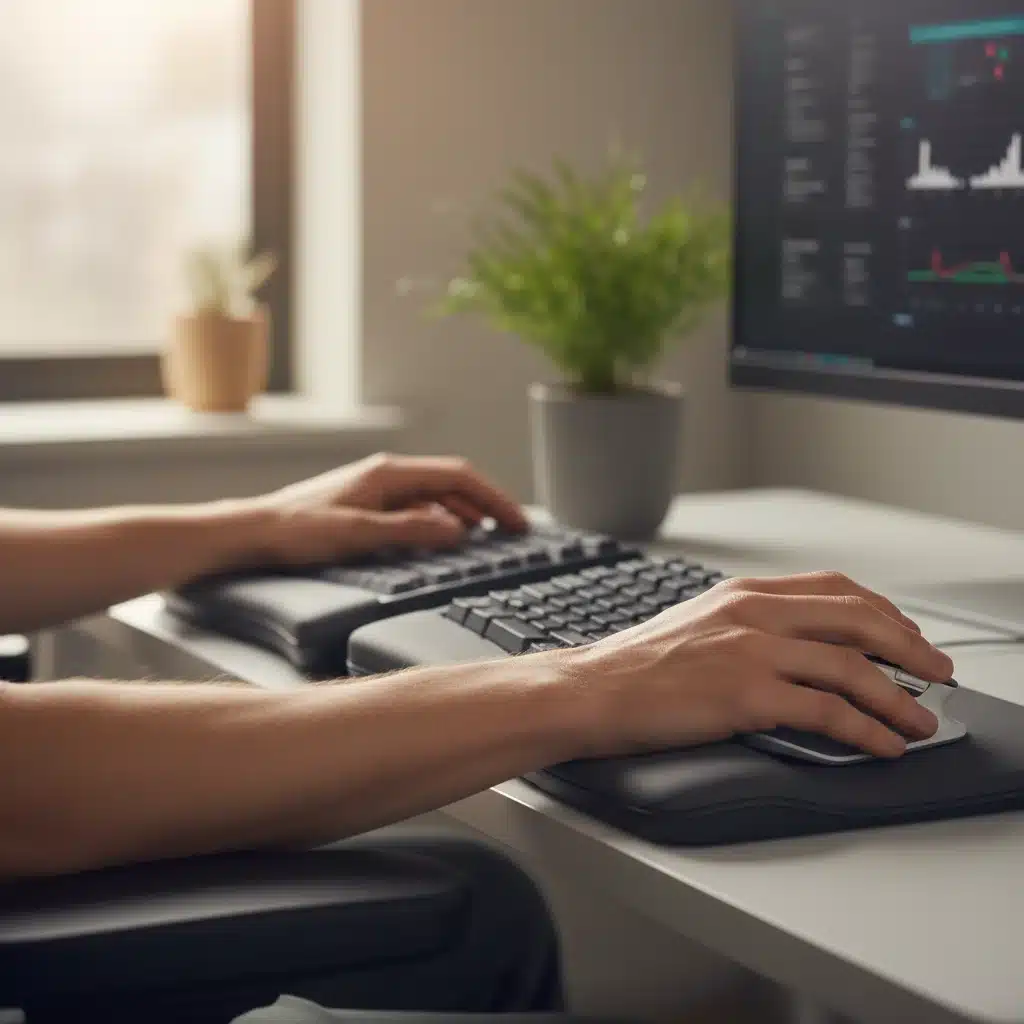
After your chair and desk, your primary input devices—the keyboard and mouse—are next in line for ergonomic optimization. These are the tools you interact with constantly, and poor design can lead to repetitive strain injuries (RSIs) such as carpal tunnel syndrome, tendinitis, and general wrist and hand pain. By 2026, the sophistication of ergonomic keyboards and mice has reached new heights, offering solutions tailored to various hand sizes and typing styles.
For keyboards, look for:
- Split or Contoured Designs: These designs allow your wrists to remain in a more natural, neutral position, reducing pronation and ulnar deviation.
- Adjustable Tent Angle: Some ergonomic keyboards allow you to raise the middle of the keyboard, further promoting a natural hand and wrist posture.
- Integrated or Detachable Palm Rests: A well-designed palm rest supports your wrists and prevents them from bending at awkward angles.
- Responsive, Low-Force Keys: Keys that require minimal force to actuate reduce strain on your fingers.
For mice, consider:
- Vertical or Trackball Mice: Vertical mice orient your hand in a natural handshake position, eliminating forearm twisting. Trackball mice allow you to control the cursor with your thumb or fingers, reducing arm and shoulder movement.
- Customizable Buttons and DPI Settings: Being able to program buttons and adjust cursor sensitivity can reduce the number of clicks and large movements required.
- Appropriate Size and Shape: The mouse should fit comfortably in your hand, supporting its natural curve without requiring you to grip it tightly.
Investing in an ergonomic home office setup means paying attention to these smaller, yet critical, details. The cumulative effect of using well-designed input devices is a significant reduction in discomfort and a boost in typing and navigation efficiency. Don’t wait until you experience pain to upgrade; proactive prevention is key to a long and healthy remote work career.
4. Monitor Arm and External Monitor(s): Eye-Level Comfort and Expanded Workspace
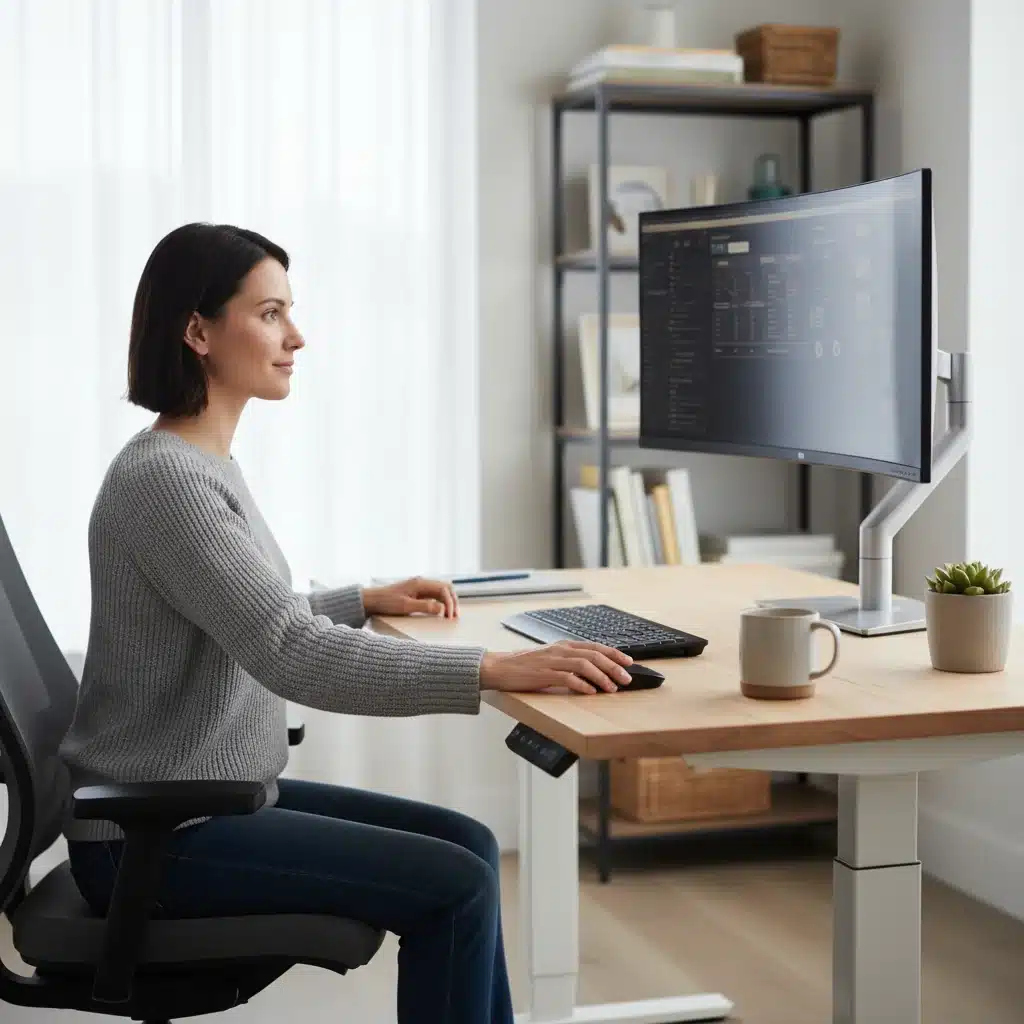
The days of craning your neck over a laptop screen are long gone for the truly ergonomic home office. By 2026, external monitors and monitor arms are recognized as fundamental components for maintaining proper posture and reducing eye strain. Your monitor should be positioned directly in front of you, with the top of the screen at or slightly below eye level, and at an arm’s length distance. This ensures your neck remains in a neutral position, preventing the dreaded “tech neck” syndrome.
A monitor arm offers unparalleled flexibility and space-saving benefits:
- Height, Depth, and Tilt Adjustment: A good monitor arm allows you to precisely position your screen(s) to your ideal ergonomic height and distance, regardless of your desk height or seating position. This is especially crucial when using a standing desk.
- Space Saving: By clamping to the back of your desk or mounting to a wall, a monitor arm frees up valuable desktop space, leading to a cleaner and less cluttered workspace.
- Multi-Monitor Support: For those who require multiple screens, dual or even triple monitor arms are available, allowing for a highly customized and efficient multi-display setup.
- Cable Management: Many monitor arms include integrated cable management channels, helping to keep your workspace tidy and free of tangled wires.
Beyond the arm itself, the monitor(s) you choose also play a vital role. Opt for monitors with good resolution, anti-glare coatings, and features like blue light filtering to reduce eye fatigue. The size of the monitor should be appropriate for your viewing distance and task needs, but remember that a larger screen often means less need for constant scrolling and zooming, which can also contribute to discomfort. Properly positioned monitors are not just about comfort; they contribute significantly to an expanded and efficient workspace, allowing for better organization and multitasking without physical strain.
5. Task Lighting and Natural Light Optimization: Illuminating Productivity
Often overlooked, proper lighting is a cornerstone of an ergonomic home office. Poor lighting can lead to eye strain, headaches, and fatigue, all of which detract from productivity. By 2026, understanding the interplay between artificial task lighting and natural light is crucial for creating an optimal visual environment. The goal is to achieve balanced illumination that minimizes glare and maximizes visual comfort.
Consider the following for your lighting setup:
- Task Lamp with Adjustable Brightness and Color Temperature: A dedicated task lamp is essential for providing focused illumination on your immediate workspace without over-lighting the entire room. Look for lamps with adjustable brightness (dimmable) and, ideally, adjustable color temperature (from warm to cool light). Cooler, brighter light can be energizing during the day, while warmer, softer light is better for evening work.
- Minimize Glare: Position your monitor and desk to avoid direct light sources (windows or overhead lights) reflecting off your screen. Use blinds or curtains to control natural light and position your task lamp so it illuminates your work surface without shining directly into your eyes or onto your screen.
- Maximize Natural Light: Whenever possible, position your desk near a window. Natural light is proven to boost mood, energy, and cognitive function. However, ensure the window is not directly behind you (creating glare on your screen) or directly in front of you (creating harsh contrast). A side-facing window is often ideal.
- Avoid Flickering Lights: Older fluorescent lights can flicker imperceptibly, causing eye strain and headaches. Opt for modern LED lighting that provides consistent, flicker-free illumination.
The right lighting setup not only prevents physical discomfort but also enhances your mood and alertness. A well-lit workspace feels more inviting and conducive to concentration. It’s a subtle yet powerful element that significantly contributes to the overall ergonomic quality of your home office, ensuring that your eyes remain comfortable and your mind stays sharp throughout the workday.
Beyond the Essentials: Cultivating an Ergonomic Mindset
While the five items discussed are the core must-haves for an ergonomic home office in 2026, true ergonomic optimization extends beyond physical equipment. It involves cultivating an ergonomic mindset – a conscious effort to integrate healthy habits and practices into your daily remote work routine. The best equipment in the world won’t prevent discomfort if you don’t use it correctly or take regular breaks.
Consider these additional elements:
- Regular Breaks and Movement: Even with a standing desk, prolonged static postures are detrimental. Set reminders to take short breaks every 30-60 minutes. Stand up, stretch, walk around, or do some light exercises. Micro-breaks are incredibly effective for breaking up monotony and promoting circulation.
- Ergonomic Accessories: Think about items like footrests (especially if your feet don’t comfortably reach the floor while seated), document holders, and even specialized glasses for computer use. These small additions can make a big difference in fine-tuning your comfort.
- Posture Awareness: Regularly check in with your body. Are your shoulders relaxed? Is your head aligned with your spine? Are your feet flat on the floor or supported by a footrest? Constant self-correction helps reinforce good habits.
- Declutter and Organize: A tidy workspace contributes to a tidy mind. Reduce visual clutter, organize cables, and ensure frequently used items are within easy reach to avoid awkward reaches and twists.
- Personalized Adjustments: Ergonomics is highly personal. What works perfectly for one person might not be ideal for another. Be prepared to experiment with different settings and positions until you find what feels best for your unique body. Don’t be afraid to read manuals or watch instructional videos to get the most out of your adjustable equipment.
The remote work revolution of the 2020s has highlighted the critical importance of a well-designed workspace. By 2026, the expectation is that individuals take ownership of their home office environments, understanding that it’s a direct contributor to their professional success and personal well-being. Companies are also increasingly recognizing their role in supporting these setups, often offering stipends or advice for ergonomic improvements.
The Future of the Ergonomic Home Office
Looking ahead, the ergonomic home office will continue to evolve with technological advancements. We can anticipate even smarter furniture that provides real-time posture feedback, AI-powered systems that suggest optimal break times, and more seamlessly integrated health monitoring into our daily work setups. The focus will remain on proactive health management and creating environments that are not just comfortable, but actively promote long-term vitality.
The investment in these five ergonomic must-haves is not just about buying new equipment; it’s about investing in yourself, your health, and your long-term career in the remote work landscape. By prioritizing an ergonomic home office, you are setting yourself up for sustained productivity, reduced risk of injury, and a more enjoyable, pain-free professional life. As 2026 unfolds, ensure your home office is not just a place where you work, but a sanctuary where you thrive.
Embracing these ergonomic principles will transform your remote work experience from a potential source of discomfort into a foundation for sustained success and well-being. The future of work is here, and it’s undeniably ergonomic.